What is Geogebra? Geogebra is a powerful drawing tool that allows users to create amazing and detailed diagrams online.
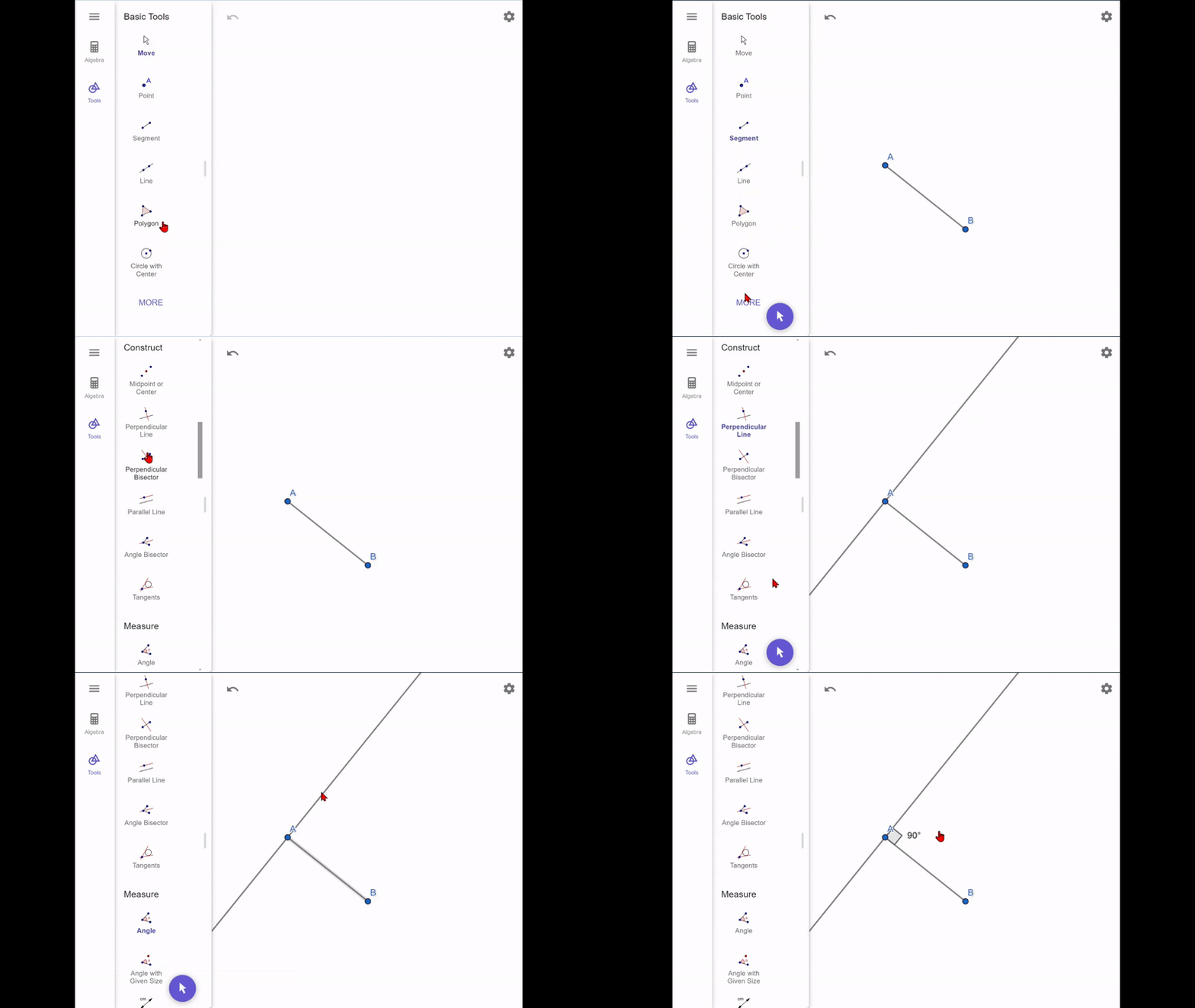
While it takes a little while to get used to it, it is a great tool for learning geometry. This is a quick and easy tutorial to get started using Geogebra in Euclid Says. This game only uses a few functions, but feel free to use this canvas to explore different ones such as Area, Compass, and more!
One quick note before you learn how to draw diagrams! If you want to save your diagram using the Save button, make sure you center it in the editor so that the image comes out nicely 😄.
The functions you'll need for this game are listed below:
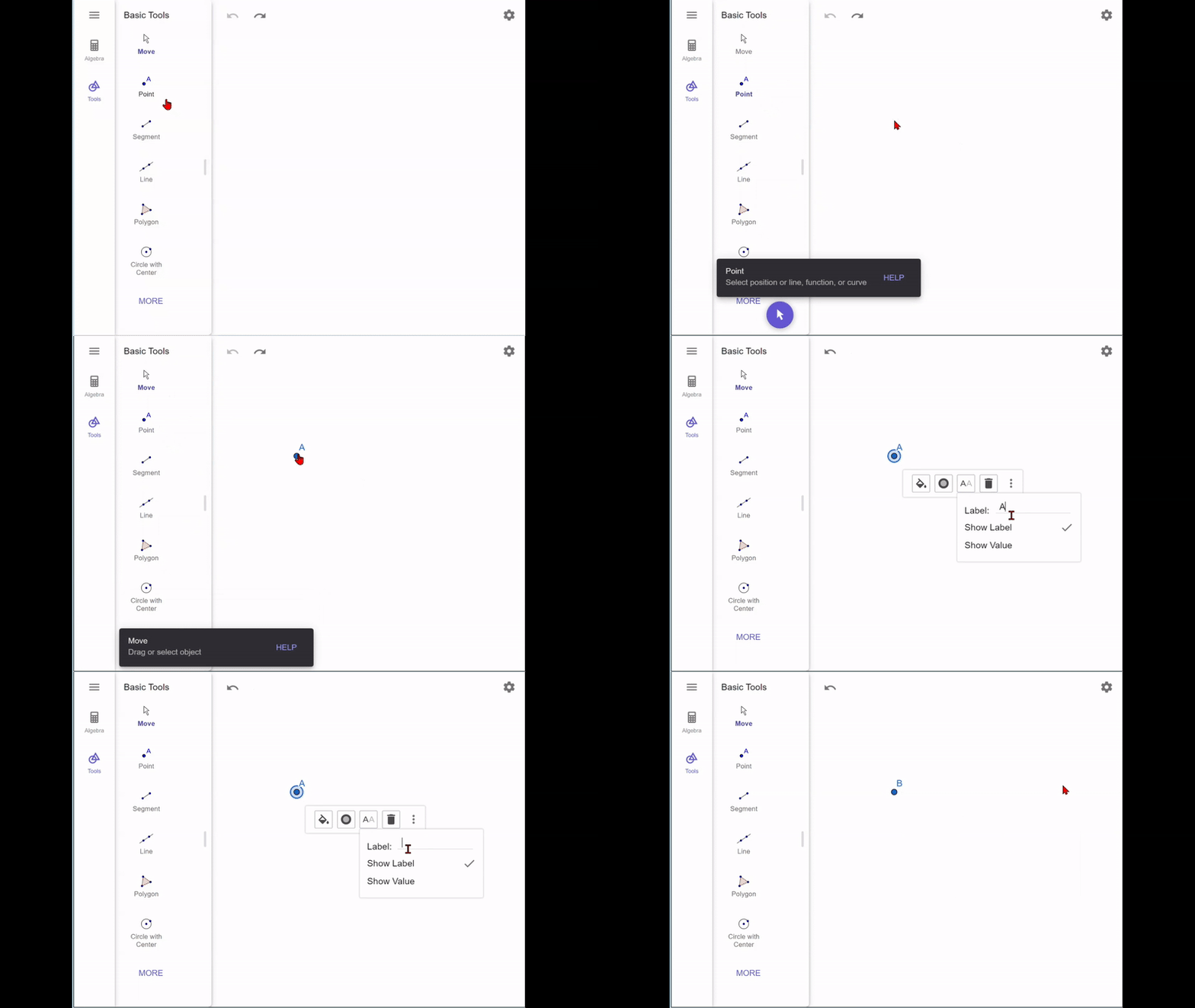
Point - This tool allows you to create points as well as label them. Geogebra will automatically label your points starting from A although you can always change it as shown in this gif.
 Line Segment
 - This tool is used to create line segments, which are the basis of angles. If you need to move the points of a line segment after you have created it, select "Move" and drag the points wherever you want.
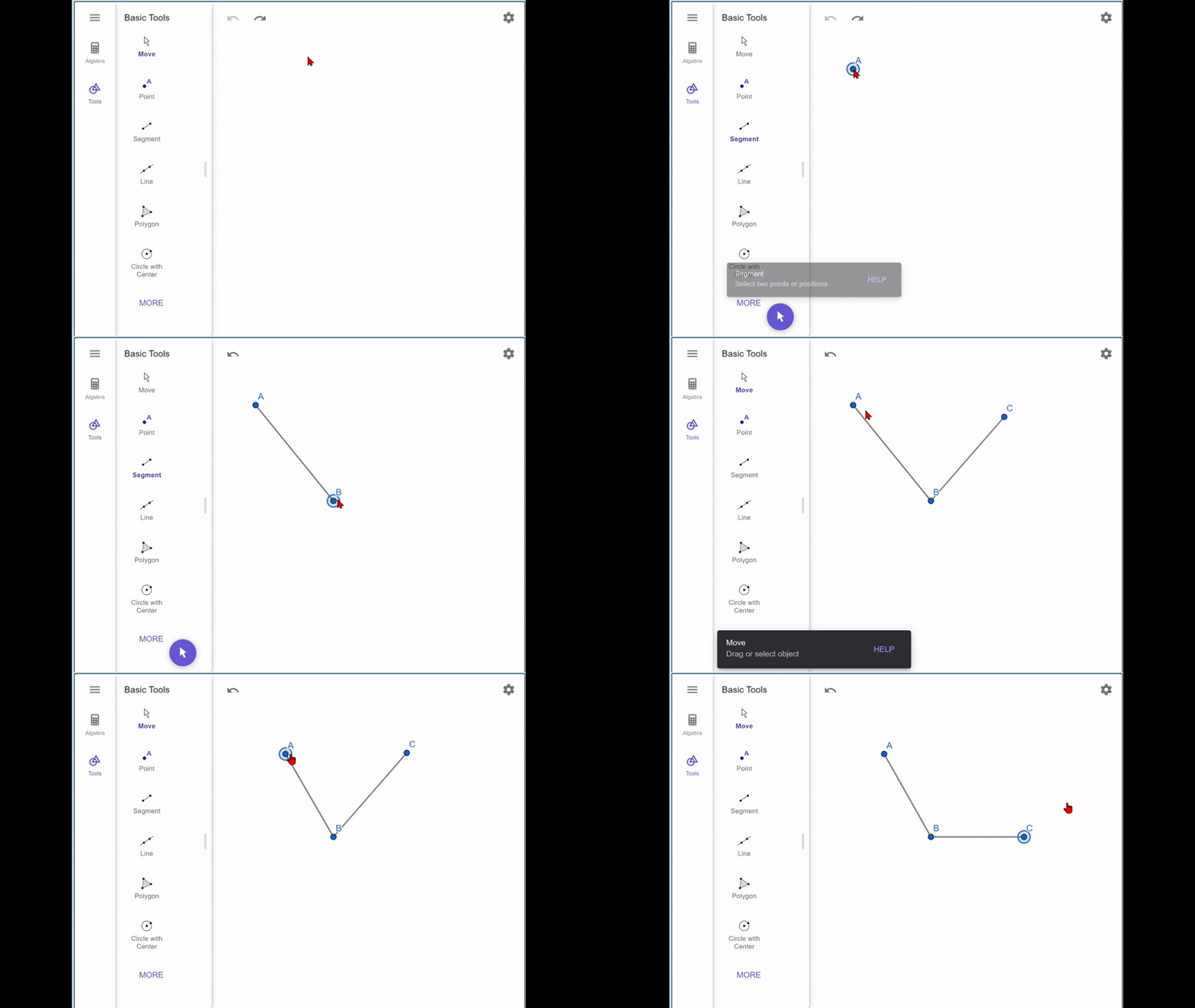 Angle
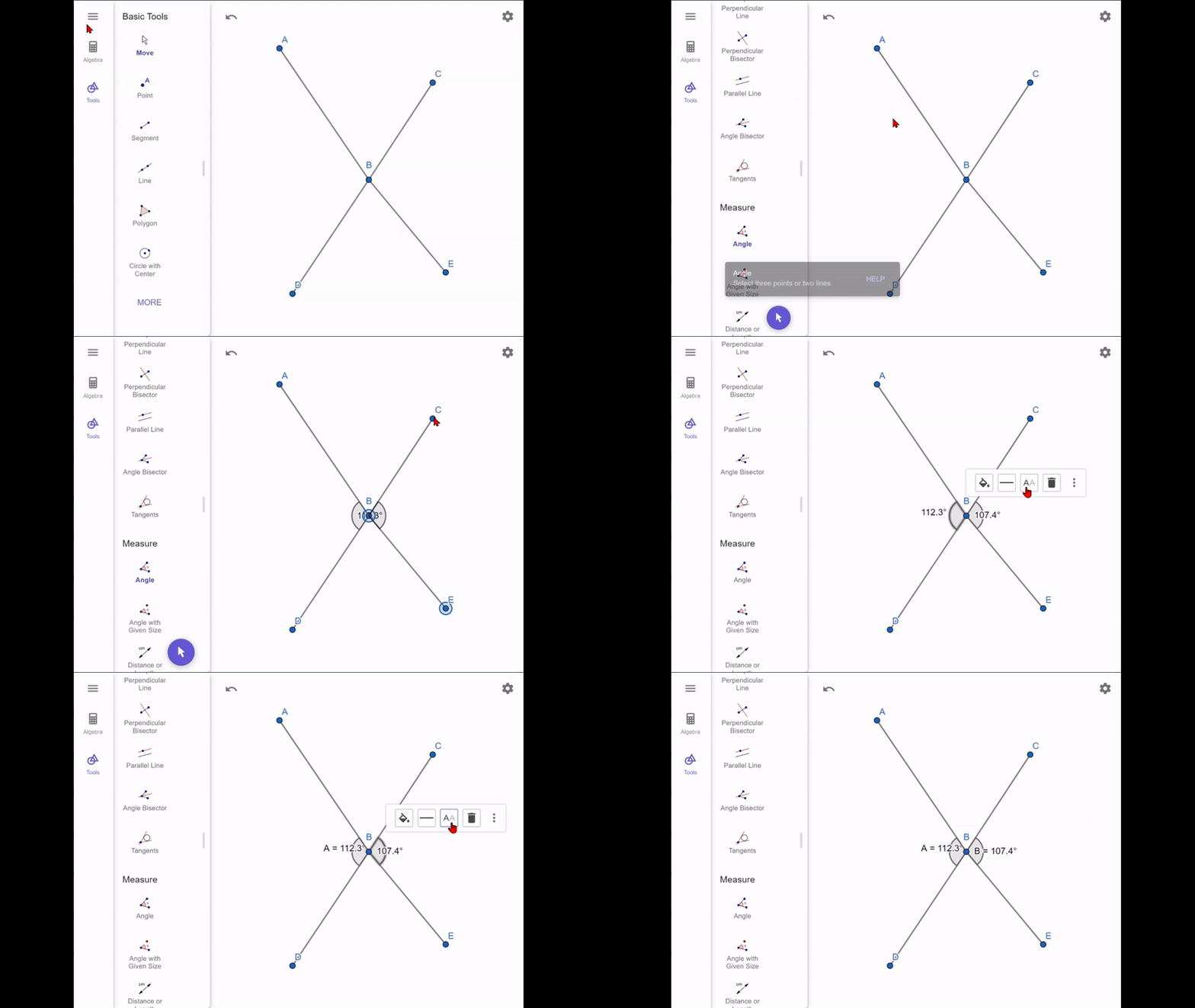
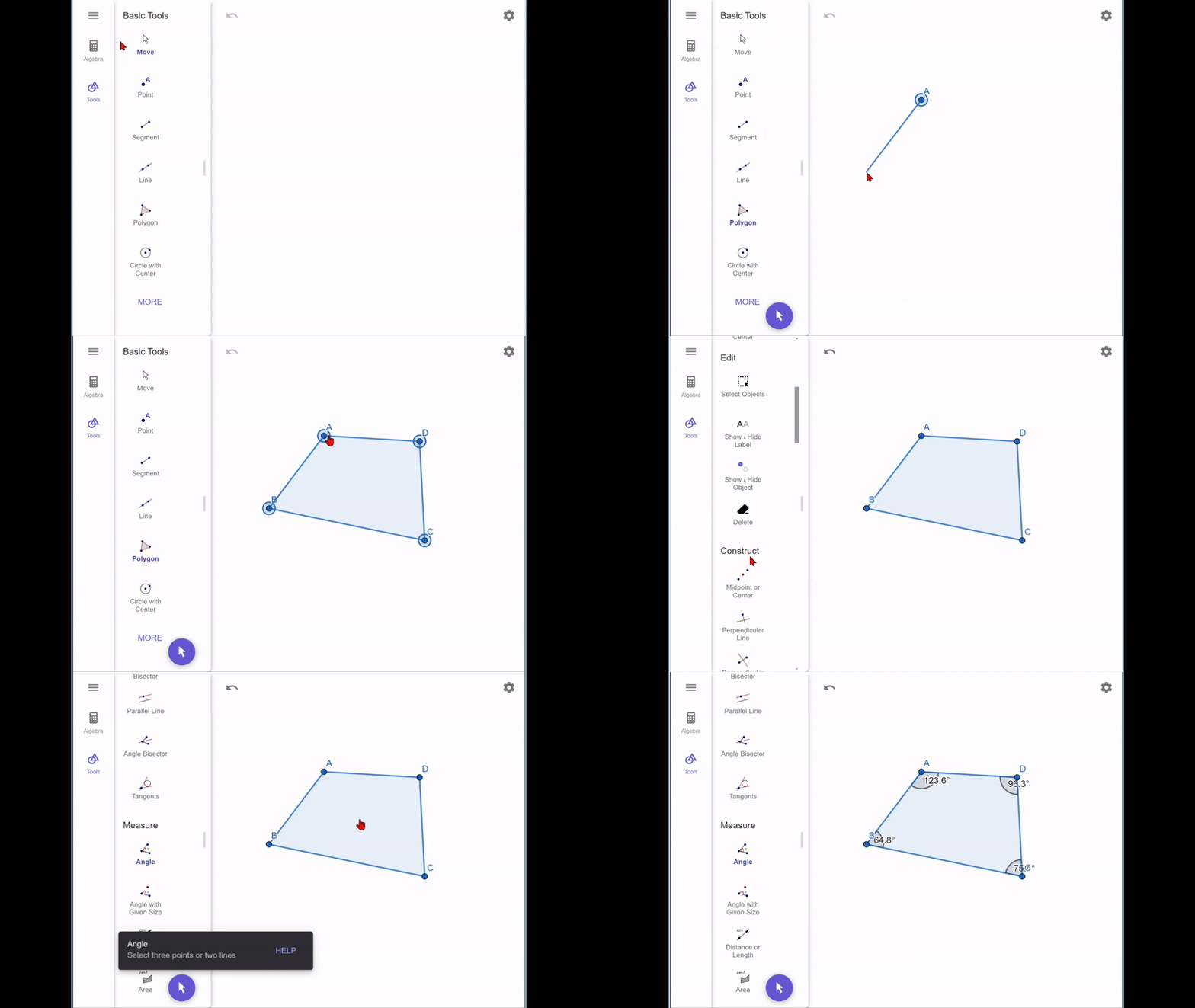
Angle - Obviously this tool is important as the entire game is based around angles. This tool isn't on the main menu, so you'll have to click "More" and scroll down to find it. When you have the tool selected, you can click wither 3 points or 2 line segments to create an angle. While most of the time you'll have one angle per point, sometimes you might have two different angles. In this case, you would need to label the angle itself to differentiate it from the other angle.